







Good old days, bad modern tech, and ugly profiteering
This project was born out of frustration, and to be honest, a bit of misanthropy. When I was younger, I naively believed that the world was always moving forward. I thought that, as a collective, society and technology would inevitably improve, much like a river flowing to the sea. Sure, I knew individual lives could slip into tragedy, but I believed in the constant march of progress, until two key moments shattered that illusion.
The first was a visit to Pompeii and Herculaneum. As I walked through these ancient Roman cities, I was struck by how familiar they felt. Wide, paved streets, fast-food stalls, graffiti, gyms with lockers, all built two thousand years ago. Their urban set-up mirrored aspects of modern life more than anything I'd seen from the medieval period. The realisation hit me: progress isn’t guaranteed. Civilisations can regress or even collapse, and technology can be lost for centuries. This revelation unsettled me, but I convinced myself that such decline was a thing of the past, never to happen again.
Years later, another realisation came during a trip with my children to the Science Museum in London. As we admired the Apollo 10 command module, I pointed out that it had flown around the Moon exactly one year before I was born. Then it struck me: in my children’s minds, 1969 is as distant as 1932 was for me growing up. But unlike my generation, they were seeing the pinnacle of human achievement, the Moon landing, and accepting that we no longer aspire to, or are capable of such feats.
That was a harsh truth to swallow. I couldn’t imagine my father telling me, as a child, that the most incredible technological artifact I was looking at had been built 45 years ago and that we couldn't replicate it anymore. Yet, here we are. My children didn’t seem fazed; to them, it was just another fact of life.
I have an engineering mindset, so I naturally believe that "better is better" when it comes to technology. But I realise that most people don’t see it that way. For many, convenience trumps quality, and “good enough” is often better than “perfect”. Nowhere is this more apparent than in the world of audio-visual technology.
I’m not an audiophile splitting hairs over analogue vs. digital. But I do believe that people are sacrificing quality for ease of use, to the point where they're willing to stream music over tiny phone speakers just to avoid plugging into an amp. That’s incomprehensible to me. It’s not just the sound systems we use today that disappoint. It’s the fact that we no longer care about the loss in quality. In fact, the average sound system from my father's era is orders of magnitude better than most of what’s sold today.
I care about sound quality, and I believe it’s possible to have both quality and convenience. Which brings me to my frustration with the audio-visual (A/V) industry.
Why is the market flooded with cheap, low-quality “smart” devices when we could pair modern technology with better audio systems? Why create low-quality speakers stuffed with cheap electronics just to make them “smart”, when you could sell the smarts separately and attach them to a proper sound system?
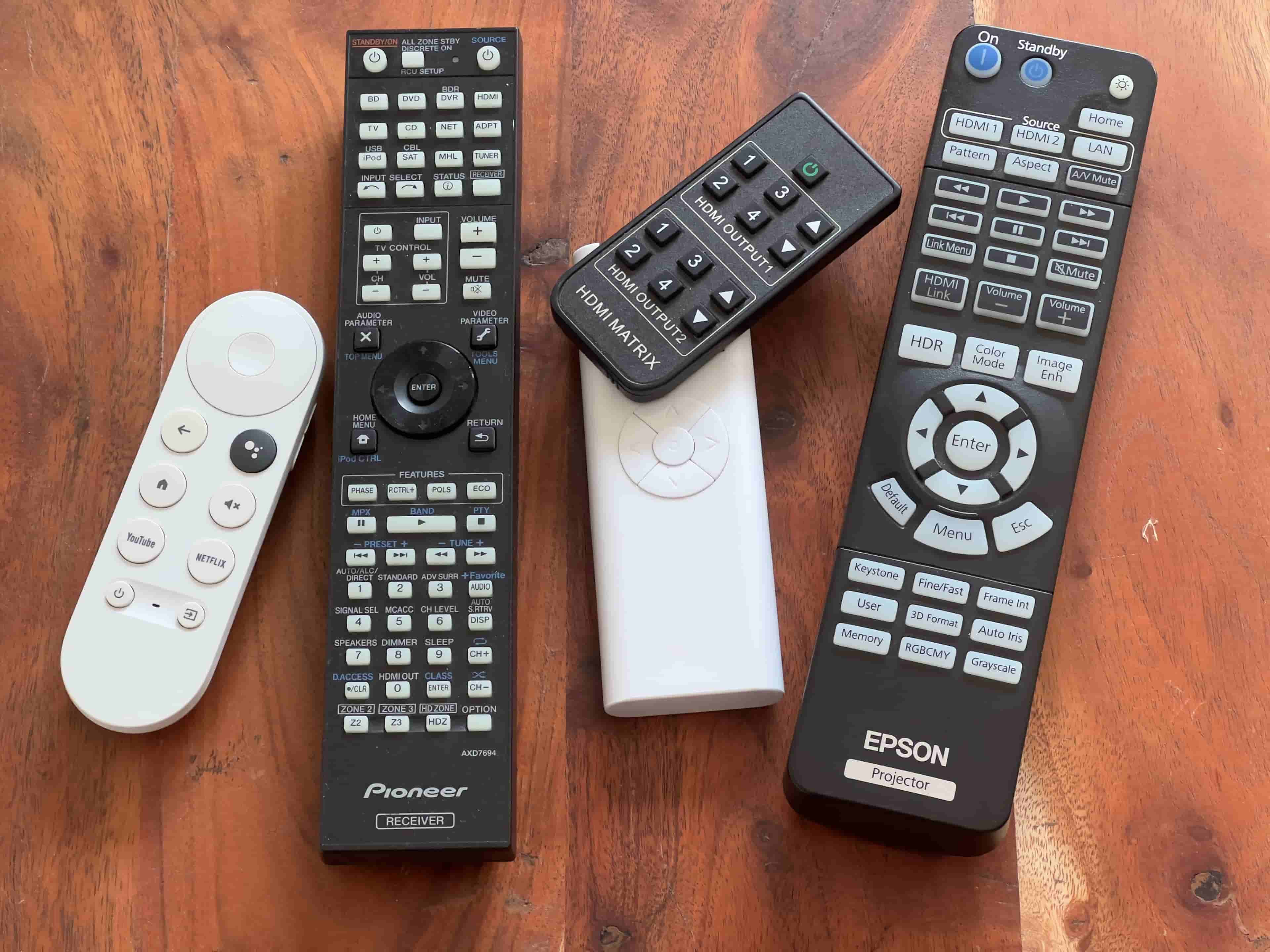
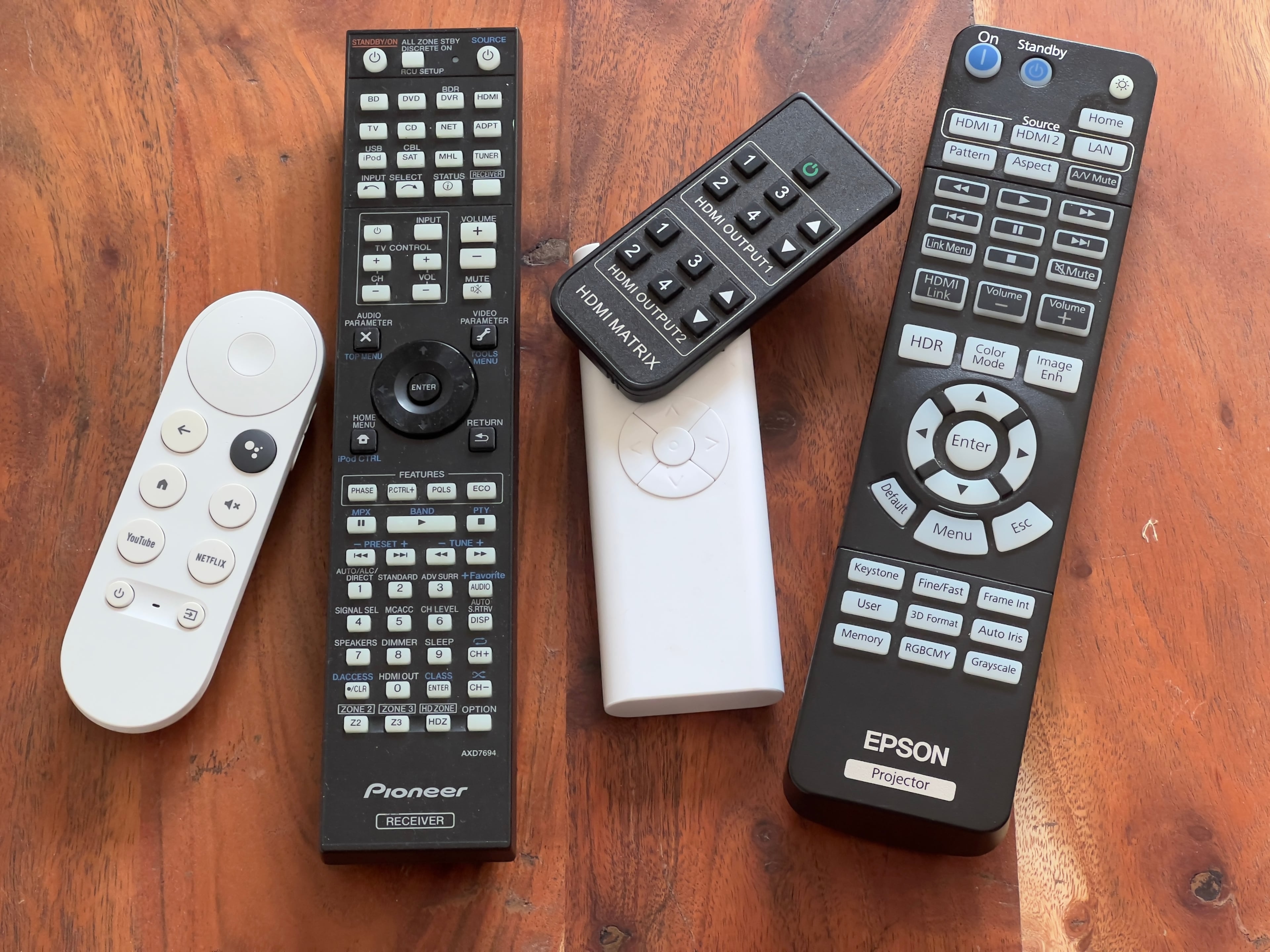
Determined to find a better solution, I decided to create my own DIY smart home set-up. I wanted to preserve the sound quality of my existing A/V equipment while integrating modern smart features—without relinquishing control to Apple, Google, or Amazon. The challenge was automating my existing, “dumb” devices, which used different control interfaces: IP for my receiver, 433MHz radio signals for my motorized projector screen, and infrared (IR) for my projector and HDMI splitter.
The Automation Challenge
On a good day, setting up my home entertainment system was already quite involved. To watch a movie, for example, I had to:
- Find the remote for the projector screen and lower the screen.
- Find the projector remote and turn it on.
- Use the HDMI splitter remote to select the correct source, whether it was:
- Google TV,
- PlayStation,
- Laptop, or
- Gaming PC.
- Fire up the receiver app to turn on the receiver and set the HDMI input to the splitter.
- Adjust the receiver settings:
- Switch to "Automatic Level Control" for the best movie sound.
- Turn the EQ on for optimal 5.1 surround sound.
If I wanted to listen to music, I had to:
- Raise the screen (if it was down).
- Turn the projector off.
- Open the receiver app, change the input to my Spotify Connect device, and switch to “Extended Stereo” mode.
- Turn the EQ off, since it’s not necessary for music.
It was tedious, even for me. For my wife and kids, it was an Escape Room experience. So, I wanted to find a way to automate these steps while keeping all the existing equipment.
Building the Solution
Automating these devices was not straightforward because each used a different communication protocol. The receiver had IP control, which was a relief, but the projector and HDMI splitter used infrared (IR), and the projector screen ran on 433MHz radio frequency (RF).
Step 1: The RF Challenge (Projector Screen)
I was initially hesitant to tackle RF, as it seemed daunting. But after reading a few guides and finding that a set of 433MHz modules cost only pennies, I decided to give it a try. Using my Raspberry Pi, I wrote a simple program to record the signals from my projector screen remote. To my surprise, replaying the signals worked perfectly. The screen obediently went up and down based on the commands I sent.
Step 2: Infrared Control (Projector and HDMI Splitter)
Controlling the projector and HDMI splitter via IR was more challenging than I expected. Installing and configuring lirc (Linux Infrared Remote Control) on the Raspberry Pi was far more involved than I anticipated, but after a lot of tinkering, I managed to get it working reliably. Now, I could control both devices with a simple command from my Pi.
Step 3: IP Control (A/V Receiver)
The receiver, thankfully, had an IP command protocol, which made it easier to automate. I found an old API that allowed me to send simple commands over a Telnet connection. Sending a simple PO (Power On) command followed by a Windows new line character, would turn on the receiver instantly.
echo "PO\r\n" | nc 192.168.1.179 23
I am sure that this command ended up in the API without a single giggle ;)
With a bit of Python scripting, I could now remotely power the receiver on and off, switch inputs, and adjust audio settings with ease.
Success!
The Architecture: Making it Work Together
Once I had the different protocols figured out, I needed a central system to orchestrate them. I chose Python to develop the backend, using Tornado as my web server. Tornado is excellent for keeping WebSocket connections open and handling multiple devices at once, which was important because the whole family would be using the app across various devices.
One tricky part was maintaining the Telnet connection to the receiver while allowing real-time feedback. Since Python’s standard threading model wouldn’t allow this smoothly, I used the multiprocessing module to handle the Telnet connection in a separate process. This way, I could monitor the receiver’s state continuously without blocking the main thread.
For IR and RF, I kept them in the main thread, as they only send commands out, which take mere milliseconds. However, spamming IR commands could cause issues, but in practice, this wasn’t a problem.
The User Interface
With the core functionality in place, I built a web-based UI to control everything. This wasn’t meant to win design awards but to be purely functional. I wanted it to work seamlessly across all my devices, from phones to tablets to computers. Real-time feedback was crucial, so the app could update the state of the devices as these were controlled.
After several iterations, I ended up with a clean, minimalist interface. I even spent extra time ensuring the info bar reflected the receiver’s display exactly, including font and special characters. It wasn’t necessary, but it was a nice touch.
This DIY solution has been running reliably for seven years. We use it every day, and it has allowed me to maintain high-quality audio-visual experiences, using old and 'dumb' equipment, while enjoying the convenience of modern smart home features—on my terms.